
Club author
Clubs · Nov 15, 2024 · 2 min read
Save
Share
Keep reading
authenticated by

Clubs · Nov 15, 2024 · 2 min read
Save
Share
Keep reading

iGuide Stories
This article provides a detailed guide on how to declare personal income tax online for foreign workers ending their contracts in Vietnam. Discover the necessary steps, legal regulations, and tax submission methods to ensure compliance with the law and protect your rights.
According to regulations in d.3 Clause 6 Article 8 Decree 126/2020/ND-CP If a foreign individual finishes a working contract in Vietnam, declare a tax settlement with the tax authority before leaving the country.
In case there is no time to go to the tax office to declare, individuals can declare personal income tax through online form
Personal income tax declaration is done according to the following steps:
Step 1: Go to the personal income tax declaration page through the website of the Vietnam General Department of Taxation using the following link: https://canhan.gdt.gov.vn/
After entering the declaration page, log in to your personal account.
In case the foreign worker does not have an account, please register
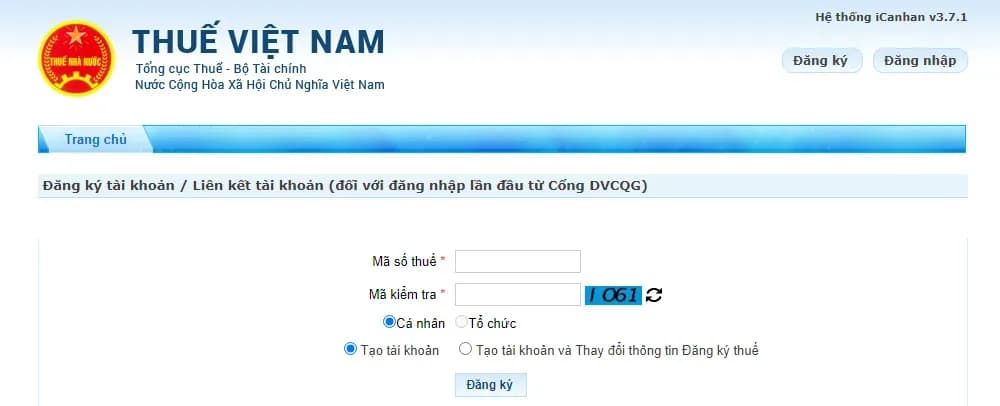
In case the employee has a posting account, select the item "Log in" and fill in the information fields "Tax code" and "Test code" > select "Continue"
Next, the employee needs to enter personal information in the corresponding information fields including:
- Tax code
- Tax code issuance date
- Provincial/City tax authority
- Tax administration agency
After completing the information, click on the "log in" box to continue.
Step 2: Select item "Tax finalization" and "Online declaration".
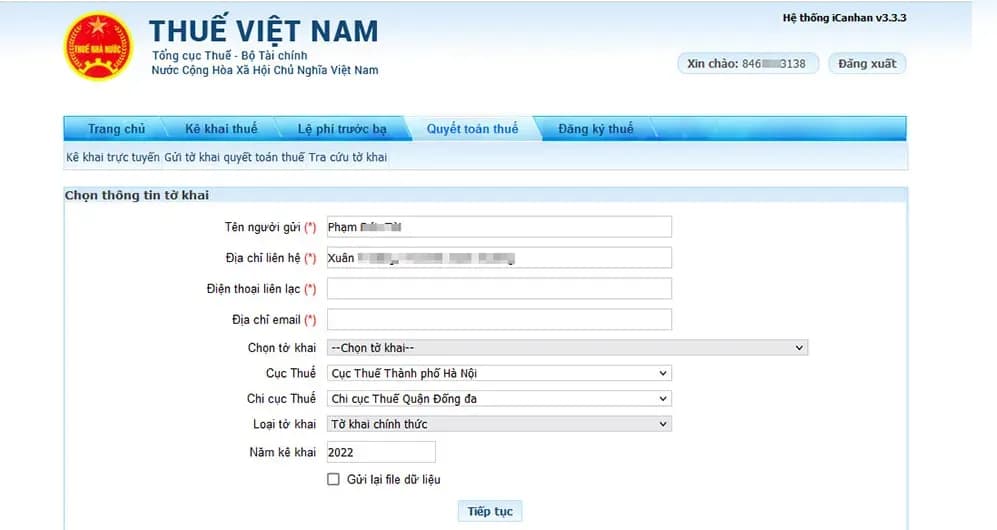
Individuals need to declare full information as required by the section. For items marked with an (*), individuals are required to fill them out in full.
In case of self-finalization of personal income tax, choose declaration 02/QTT-TNCN - personal income tax finalization declaration is issued attached. Circular 80/2021/TT-BTC.
After that, the individual continues to select the case for declaring their tax finalization according to the instructions in section "The case of tax finalization".
Step 4: Proceed to declare tax payment information on the tax declaration form. After filling in the information, select “Complete declaration”.
Step 5: Select XML output
Click select "dump XML" to download the completed sample declaration file to your computer.
Step 6: Select "Submit declaration"
Select “Submit declaration” then enter “Test code” to authenticate the submission of the declaration and click select "Continue".
After completing the system, there will be a notification of successful submission of the declaration.
Step 7: Print the declaration
At the select step “XML output”, the system will send the declaration file in XML format. The submitter must do so “Print declaration” to submit to tax authorities for deduction documents.
Open the file “XML output” Then choose to print 02 copies, then sign the taxpayer's name.
Step 8: Submit tax deduction documents and tax declaration at the 1-stop department
Employees can bring their personal identification documents (passport), tax deduction documents, and newly printed tax declaration (with signature) to submit it to Division 1 of the Tax Authority that submitted the online declaration. complete.
Log in to leave a comment. Log in
Be the first to comment.
Curate
Sign in to curate
React to this story


